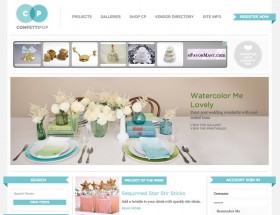
We have reached a point in design where we no longer have to use a certain set of fonts like Arial, Verdana and Tahoma. It’s time to dress up our designs and use the limitless power of the tools we have today. With the availability of HTML5 and CSS3 and newer browsers like Firefox and Chrome, designers and developers have more freedom to venture out.
As little as 2 years ago, if you wanted to use a non-system web font you had to use an image. This was not a good solution since it was not search engine friendly nor web accessible. In today’s standards we are given options on how to bring custom fonts into our designs. My favorite is Google Fonts. All of their fonts are free, open-source and optimized for the web.
Google web fonts is a project to ensure webmaster, designers and developers have free and easy access to a choice of rich, free, quality typography for their websites. Our goal is to create a directory of core web fonts that anyone can use. We believe there shouldn’t be any financial barriers for the use of the technology websites are built on. A web built with web fonts is a web that is more beautiful, more readable, more accessible and more open.
In recent projects I have worked on, I found that Google Fonts are more responsive and a lot faster than using other font replacement options like Cufon. Not only is it faster, but it’s easier to implement and use a Google font. In just two steps you can start using it.
Add a stylesheet link to the font library
<link rel="stylesheet" type="text/css" href="http://fonts.googleapis.com/css?family=Font+Name">
Style an element with the requested web font, either in a stylesheet
CSS selector {

font-family: 'Font Name', serif;

}
or inline
<div style="font-family: 'Font Name', serif;">Your text</div>
Make sure you list a web-safe fallback font like serif or san serif to avoid unexpected behavior. If for any reason the browser cannot load the custom font, it will fall back to a system font.
When Should You Use Custom Fonts?
With this new freedom of using custom fonts, you need to be able to know when to use them. Fitting them properly into the design is crucial. I like to use them in headings and navigation. If you start to use them inside the main content, depending on the font, users can find it difficult to read. The last thing you want to do is inhibit your user’s ability to read your content.
Here are some great examples of custom fonts in design.
IEEE Life Sciences

Right Touch Landscapes, Inc.

MediMedia Health

Now let’s go make the web beautiful!